A small home office setup can fit in a bedroom corner or at one end of a shared dining table. Start with enough room for your laptop, a chair you can sit in comfortably, and a light that lets you read without seeing its reflection on the screen. Try the setup for a few work sessions before spending money on new furniture.
Choose a spot that works during your busiest hours
Look at the room when you usually take calls or start focused work. A quiet corner in the morning may sit next to a busy doorway by afternoon. Check where the nearest socket is and whether your Wi-Fi stays reliable there. If you share the table, keep your charger, headphones and notebook in one tray so you can clear the space quickly.
Make the screen and keyboard comfortable to use
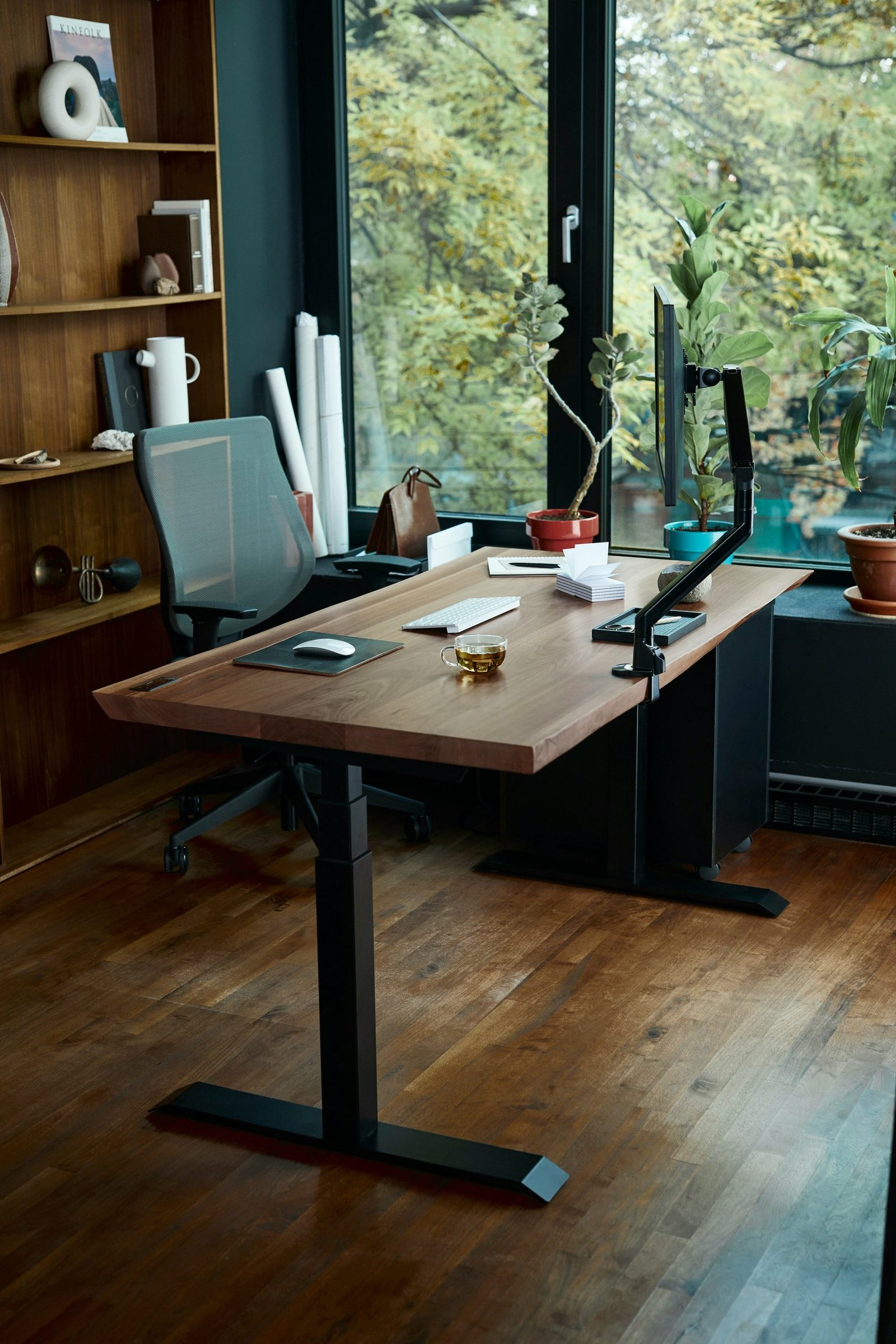
Sit with your feet supported and your shoulders relaxed. For longer laptop sessions, place the laptop on a stable riser and use a separate keyboard and mouse. Keep the top of the screen at or slightly below eye level. If the window reflects on the display, turn the desk so the window sits to one side. A desk lamp can help with paperwork after sunset if you aim it away from the screen.

Buy in the order you need things
Use your existing table and chair first. If you keep leaning down to read, try a riser and external keyboard before shopping for another desk. If the issue is uneven lighting, try a lamp. Measure the available floor space before ordering furniture and leave enough room to pull the chair out.
If power cuts interrupt your calls, plan for the device you actually need to keep running. A charged laptop may get you through a short outage, but it still needs an internet connection. Test your mobile hotspot from the desk. If you are considering a router backup, check whether your internet service stays online during an outage first.
Further reading: OSHA monitor placement and workstation lighting guidance.