Family photo backup in Pakistan works best as a small recurring habit. Eid pictures, wedding videos, and children’s school memories can build up across several phones. Give them a clear home, keep another copy, and check that the files actually open.
This routine is for preserving an ongoing family collection. It does not require buying a new phone or moving everything in one evening. Start with the memories you would find hardest to replace, then work backwards.
Build a family photo backup in Pakistan around three copies
A practical editorial plan is to keep the working collection, an independent copy on a computer or external drive, and another copy away from that device, such as a private cloud account. Separate copies reduce dependence on one phone, drive, or account; they do not guarantee that nothing can be lost.
| Copy | Example | Check to perform |
|---|---|---|
| Working collection | Current pictures on the family phone. | Can you find the newest important event? |
| Independent local archive | Original files copied to a computer or external drive. | Open several photos and play a video. |
| Separate copy | A private cloud account or another drive stored separately. | Confirm upload or copy completion and test access. |
Use a personal account whose owner can recover access. Avoid a shared shop computer or a work account you might lose access to. Keep recovery details secure and private; do not put passwords in the photo folder.
Check the account and upload status.
In Google Photos on Android, open your profile picture, go to Photos settings, then Backup. Confirm the account and check whether backup is complete. Review device folders too: images saved from another app may need their folder included. Google says account storage is shared across Photos, Drive, and Gmail.
On an iPhone using iCloud Photos, go to Settings, your name, iCloud, then Photos, and enable syncing for the device. Apple explains that edits and deletions sync across devices. It also says iCloud Photos items are not duplicated in iCloud Backup, so keep a separate library copy.
Menu wording can vary with software versions. Do not assume an item visible in the phone’s gallery has reached the cloud. Check the relevant service’s upload status before changing or deleting local files.
Make one month-sized folder at a time.
For example, a Lahore household could create a folder called “2026-11 Family”, with subfolders for a school event and a birthday. Copy the original files into it. Keep the phone collection untouched until the new copy has been checked.
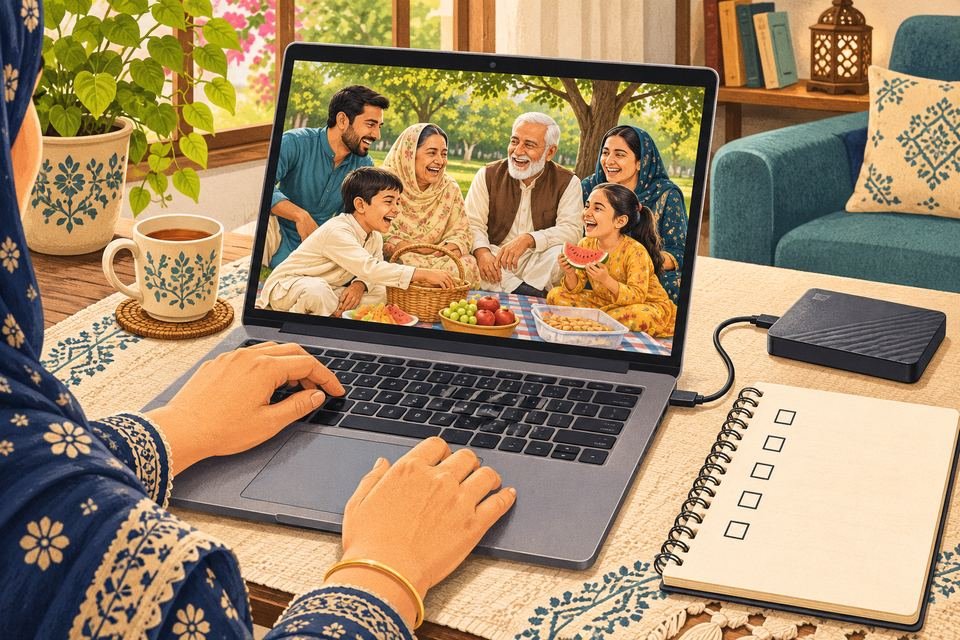
Open an older picture, a recent picture, and a video from the copied folder. Scrub through the video rather than checking only its thumbnail. Note the folder name and date checked. This sample test can reveal obvious problems, but it is not a full integrity audit of every file.
If a wedding photographer supplies a download, save the agreed original files before the link expires. Ask which versions are included. A social-media preview or a message attachment should not automatically replace the original archive.
Avoid turning storage cleanup into accidental deletion
Google Photos has a specific “Free up space on this device” feature for removing device copies that are safely backed up. It differs from deleting items from the photo library. Removed device copies may not be available offline, so keep travel favourites downloaded separately.
With iCloud Photos, deleting an image on one synced device also deletes it from the others. Do not test syncing by deleting a precious picture. Finish and verify an independent copy first.
A monthly check that is easy to repeat
- Collect the month’s important originals in one labelled folder.
- Check the separate copy and upload status.
- Open sample files and record the check date.
- Disconnect the archive drive after safely ejecting it and store it separately.
If you need to compare portable storage, our Kingston XS1000 and XS2000 guide explains two options. A faster drive does not replace having more than one checked copy.
Sources and verification
Checked on 21 November 2026. The folder system, three-copy arrangement, and sample-test routine are editorial suggestions. No paid storage prices or guaranteed upload times are assumed.
Google Photos backup setup: https://support.google.com/photos/answer/6193313?co=GENIE.Platform%3DAndroid&hl=en
Google Photos backup checks: https://support.google.com/photos/answer/9343402?hl=en
Google Photos device-space cleanup: https://support.google.com/photos/answer/6128843?hl=en
Apple iCloud Photos syncing and separate copies: https://support.apple.com/en-us/108782