Choose the TP-Link Archer AX12 for a 100 Mbps fibre package if most of your important devices use 5 GHz Wi-Fi and three wired connections are enough. Pay more for the Archer AX23 if you need a fourth LAN port or have compatible Wi-Fi 6 devices that regularly use 2.4 GHz. The bigger AX1800 number alone is a poor reason to spend more.
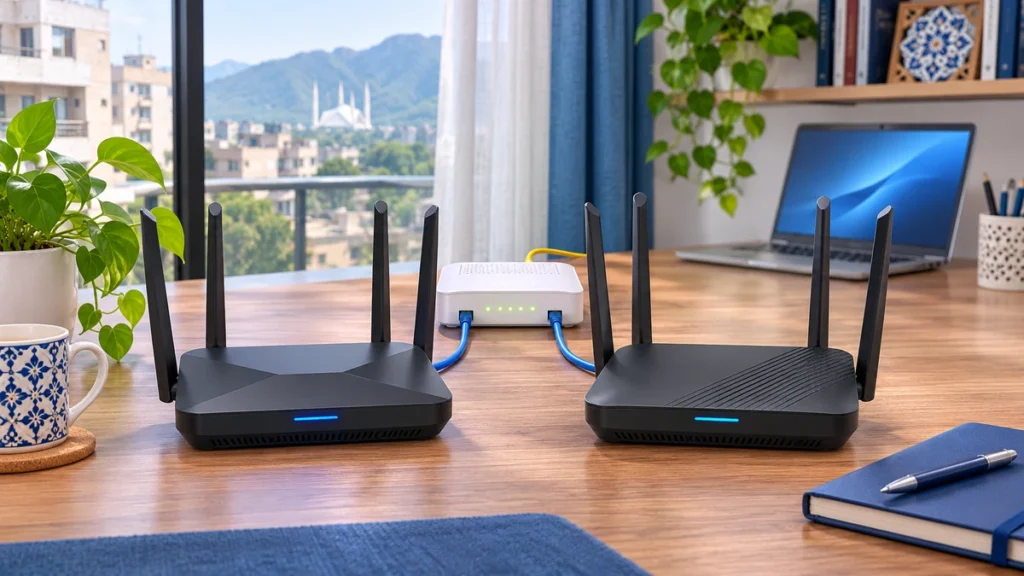
This Archer AX12 vs AX23 guide compares Pakistani shop listings and manufacturer specifications. It is a researched buying comparison; we have not tested either router in a home. Prices and stock were checked on 19 November 2026.
Table of contents
- Pakistan prices, stock and warranty
- AX12 vs AX23: the useful differences
- Who should buy which router?
- Will either router fix your fibre connection?
- Checks before buying
- Frequently asked questions
- Final recommendation
Pakistan prices, stock and warranty
These prices are for individual routers, excluding any separate delivery or setup charge. Online stock can change before checkout.
| Exact model and seller | Listed PKR price | Stock shown | Warranty advertised |
|---|---|---|---|
| Archer AX12 AX1500 — Computer Care | Rs. 13,500 | In stock | 1 year; confirm who handles claims |
| Archer AX23 AX1800 — WiFiLink | Rs. 16,899 | In Stock / Add to cart; also contains a conflicting sold-out label | 18 months official warranty advertised; get it on the invoice |
The AX23 costs Rs. 3,399 more using these two listings. The sellers and warranty periods differ, so this is a shopping comparison rather than a like-for-like warranty quote. WiFiLink’s collection also showed the AX23 available, but ask the shop to resolve its conflicting stock text before paying.
AX12 vs AX23: the useful differences
| Specification | Archer AX12 | Archer AX23 |
|---|---|---|
| 5 GHz advertised link rate | Up to 1,201 Mbps | Up to 1,201 Mbps |
| 2.4 GHz advertised link rate | Up to 300 Mbps, Wi-Fi 4 on this band | Up to 574 Mbps, Wi-Fi 6 on this band |
| Ethernet | 1 Gigabit WAN + 3 Gigabit LAN | 1 Gigabit WAN + 4 Gigabit LAN |
| Main reason to choose it | Lower purchase cost | Extra wired port and newer 2.4 GHz radio |
Specifications: TP-Link Pakistan AX12 and TP-Link Pakistan AX23. These are maximum wireless link rates, not guaranteed download speeds. They depend on the client device and conditions. AX1500 and AX1800 combine the advertised rates of both bands; one phone does not receive that combined figure.
Who should buy which router?
Buy the AX12 for a modest flat or one-floor setup where the work laptop and newer phones can use 5 GHz near the router. For a 100 Mbps internet package, both models have Gigabit Ethernet and the same advertised 5 GHz ceiling. Our recommendation is to keep the price difference unless the AX23 solves a specific need.
Buy the AX23 for more wired equipment if you want to connect a PC, television, console, and another device directly. Its fourth LAN socket may save buying a separate switch. Its 2.4 GHz Wi-Fi 6 support is also worth considering when the devices you use on that band support it.
Keep your current router if a wired test already reaches your package speed and your usual rooms have a stable connection. For upstairs dead spots or several thick walls, first price a properly placed access point with Ethernet backhaul. Neither model has a verified coverage advantage in your house merely because its AX number is higher.
Will either router fix your fibre connection?
Start with the tests in our home Wi-Fi speed guide for Pakistan. Compare a wired connection, Wi-Fi next to the router, and Wi-Fi at your desk. A slow provider connection needs a provider fix; a new router cannot increase the speed of the package you pay for.
These Archer models take an Ethernet internet feed; they are not direct replacements for a fibre ONT. Keep the provider’s fibre box unless the provider explicitly approves another arrangement. Ask whether you should add the router in access-point mode or use router mode with the required login and network settings. Confirm the exact hardware revision supports your intended setup before buying.
For example, if Ethernet gives about your expected package speed but the bedroom struggles, spend on placement or a wired access point first. If the existing router has too few sockets and several family members need wired links, the AX23’s additional socket has a clear use. This is a decision example, not a measured performance result.
Checks before buying
- Check the label. Ask for a photo of the model, regional version, and hardware revision. Compare it with the matching support page before relying on mesh or firmware features.
- Check your devices. Confirm which phones and laptops support Wi-Fi 6 and which band they use. Older 2.4 GHz cameras will not gain Wi-Fi 6 capability from a router swap.
- Count cables. List every device you want wired and confirm the ONT-to-router connection uses the WAN socket in router mode. Include an Ethernet cable or installation visit in the total.
- Confirm provider settings. Ask about PPPoE credentials, VLAN requirements, voice and television services before changing the current setup. Save the existing settings.
- Get written coverage. Confirm warranty duration, claim address, adapter coverage, invoice requirements, and the return policy for a faulty unit.
- Plan power separately. Check both the ONT and router power labels before choosing backup power. A larger Wi-Fi model name does not tell you how long a mini UPS will last.
Frequently asked questions
Will the AX23 make a 100 Mbps package faster than 100 Mbps?
No. Your package remains the limit for internet access. A router upgrade can help remove a local Wi-Fi bottleneck, but results depend on placement, interference, and the receiving device.
Is the AX23 faster than the AX12 on 5 GHz?
Both manufacturer pages advertise up to 1,201 Mbps on 5 GHz. That does not establish identical real-world performance, but it means the AX1800 label is not evidence of a higher 5 GHz link-rate ceiling.
Can I plug my fibre cable straight into either router?
No. These models use an Ethernet WAN connection. Keep the ISP’s ONT and confirm the connection method with your provider before changing network settings.
Should I buy either model to fix a weak upstairs signal?
First, check location and whether an Ethernet cable can feed an upstairs access point. Follow our Wi-Fi troubleshooting steps before choosing hardware. Coverage depends on the building, so a single replacement router may leave the same room weak.
Final recommendation
The AX12 is our starting choice for a 100 Mbps household that mainly uses 5 GHz. Choose the AX23 when its extra LAN socket or 2.4 GHz Wi-Fi 6 capability will actually be used. Resolve the stock wording, confirm the revision, and compare the delivered price with the written warranty before ordering. Browse more Buying Guides & Reviews and our Gadgets category for related purchases.